Inline tasks, imports, calendars, properties, and collaboration
Heaper becomes a more complete work hub for tasks, calendar planning, mobile photo import, watched folders, reusable properties, workspace sharing, and agent-driven workflows.
Tasks
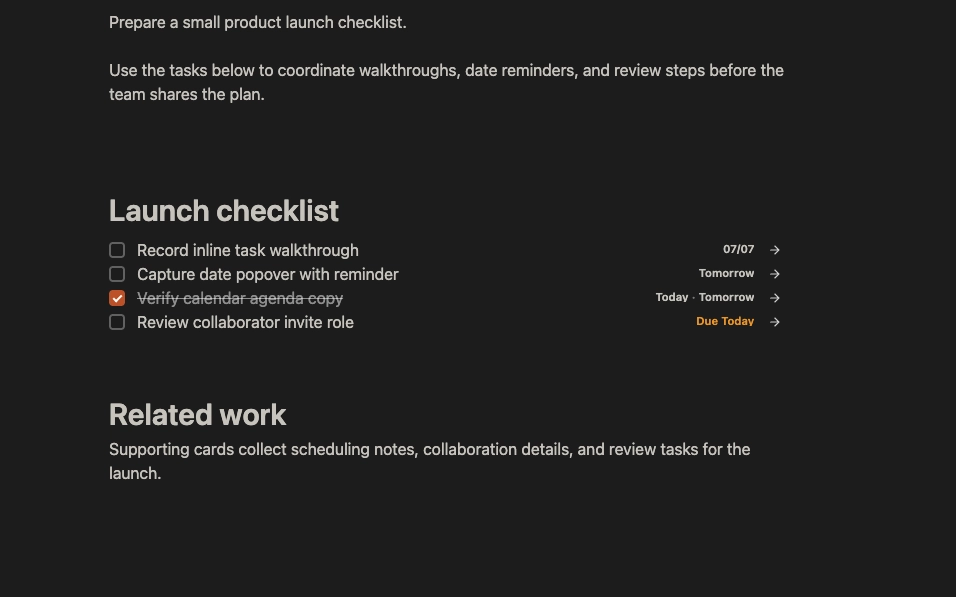
Inline Tasks
Create and manage tasks directly inside rich text documents without leaving the writing flow.
- Create tasks inside documents with improved task visuals and focused interactions.
- Keep task editing close to the surrounding context instead of switching to a separate task manager.
- Use the same block model underneath, so inline tasks still work with Heaper views and properties.
Planning
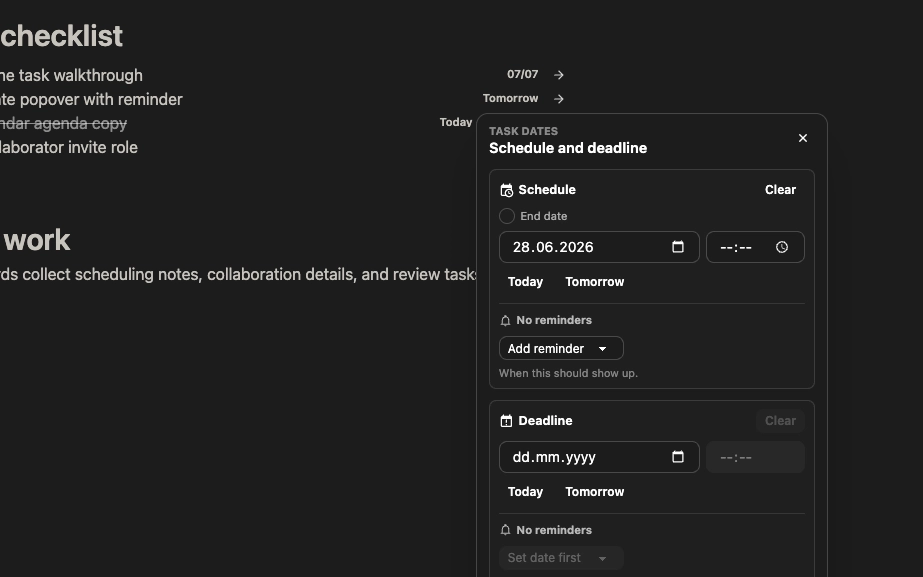
Schedule, Due Dates, Reminders, and Repeats
Tasks can now carry the dates and notification behavior needed for real planning.
- Add schedule dates and deadlines to tasks.
- Configure reminder notifications and overdue states.
- Use recurrence behavior for tasks that come back over time.
Views
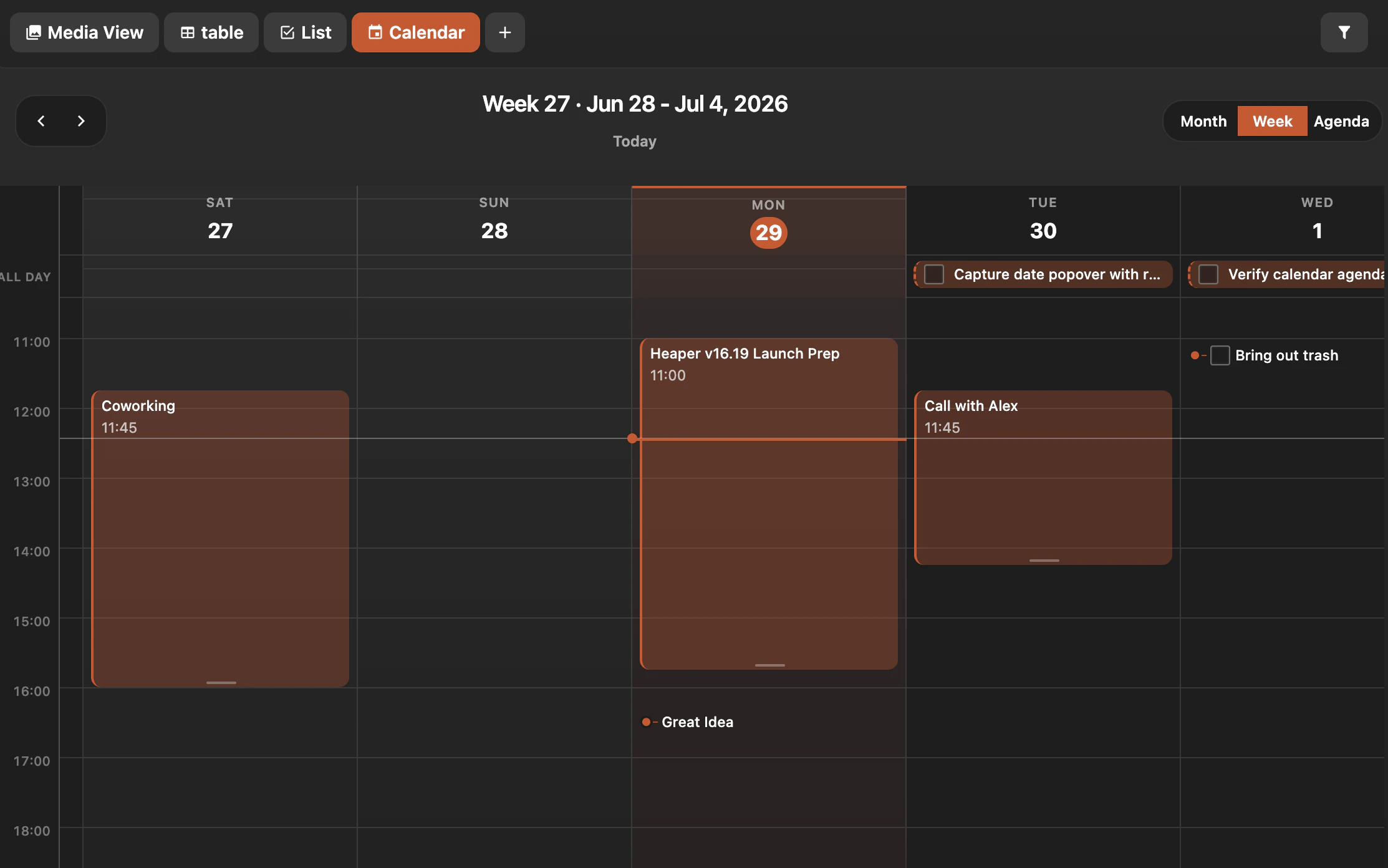
Calendar View
Scheduled blocks and tasks now have a dedicated calendar workflow for browsing and editing by date.
- Browse scheduled work in a calendar layout.
- Open and edit dated blocks from the calendar context.
- Connect Calendar to the same reusable property and app-role system as the rest of Heaper.
Properties
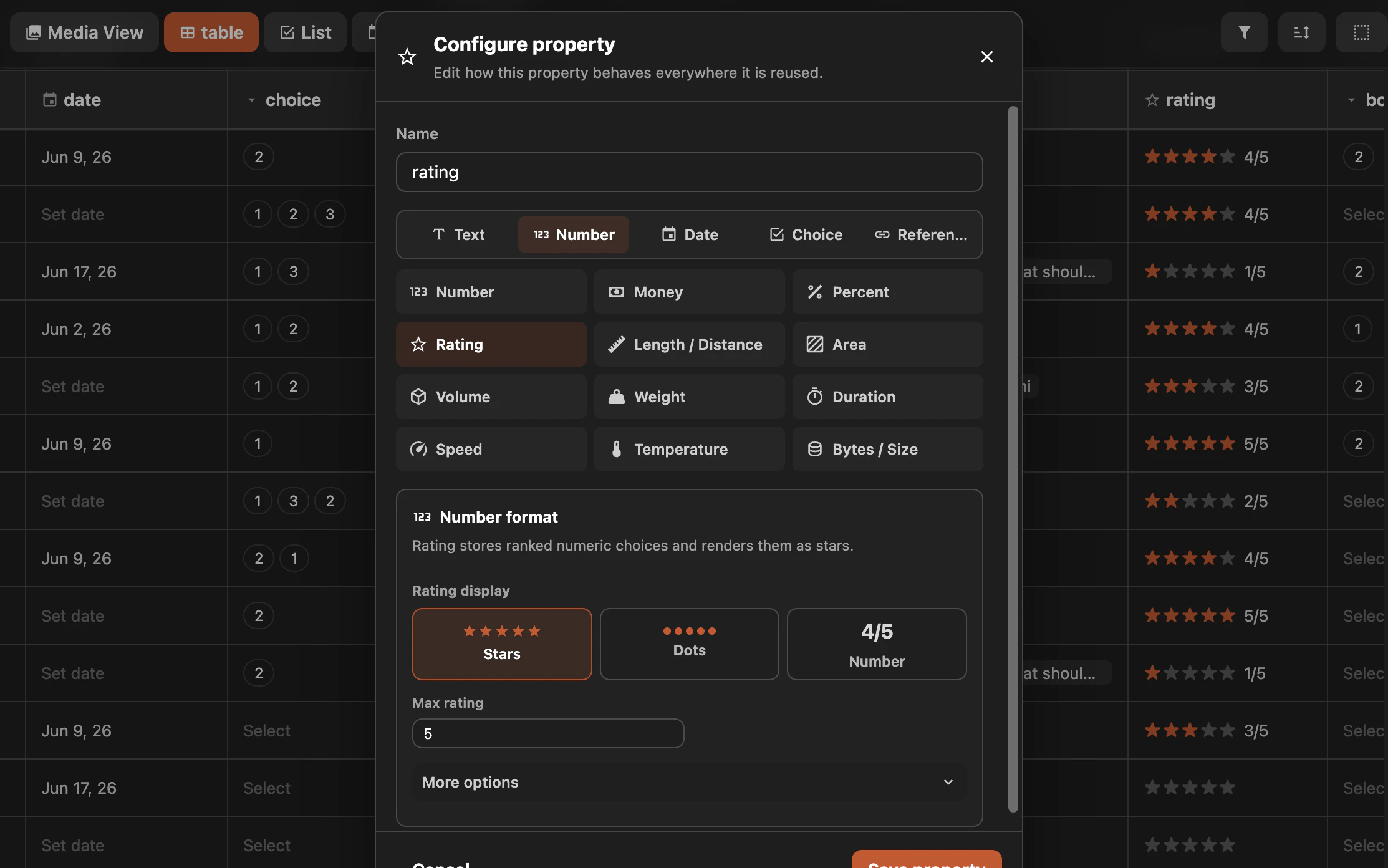
Reusable Properties
Reusable property blocks make structured metadata feel native across documents, tasks, views, and selections.
- Create reusable fields for text, numbers, dates, checkboxes, choices, block references, people, status, and ratings.
- Choose richer display formats for numbers, progress, ratings, and dates.
- Reuse the same property definitions across apps and block types.
Views
Table and Task Views
Tables and task views work better with inline titles, properties, date fields, and denser task workflows.
- Edit task titles and properties more smoothly in table-style workflows.
- Use property-aware filters and app role mappings to build more useful views.
- Avoid accidental row actions when interacting with table titles.
Import
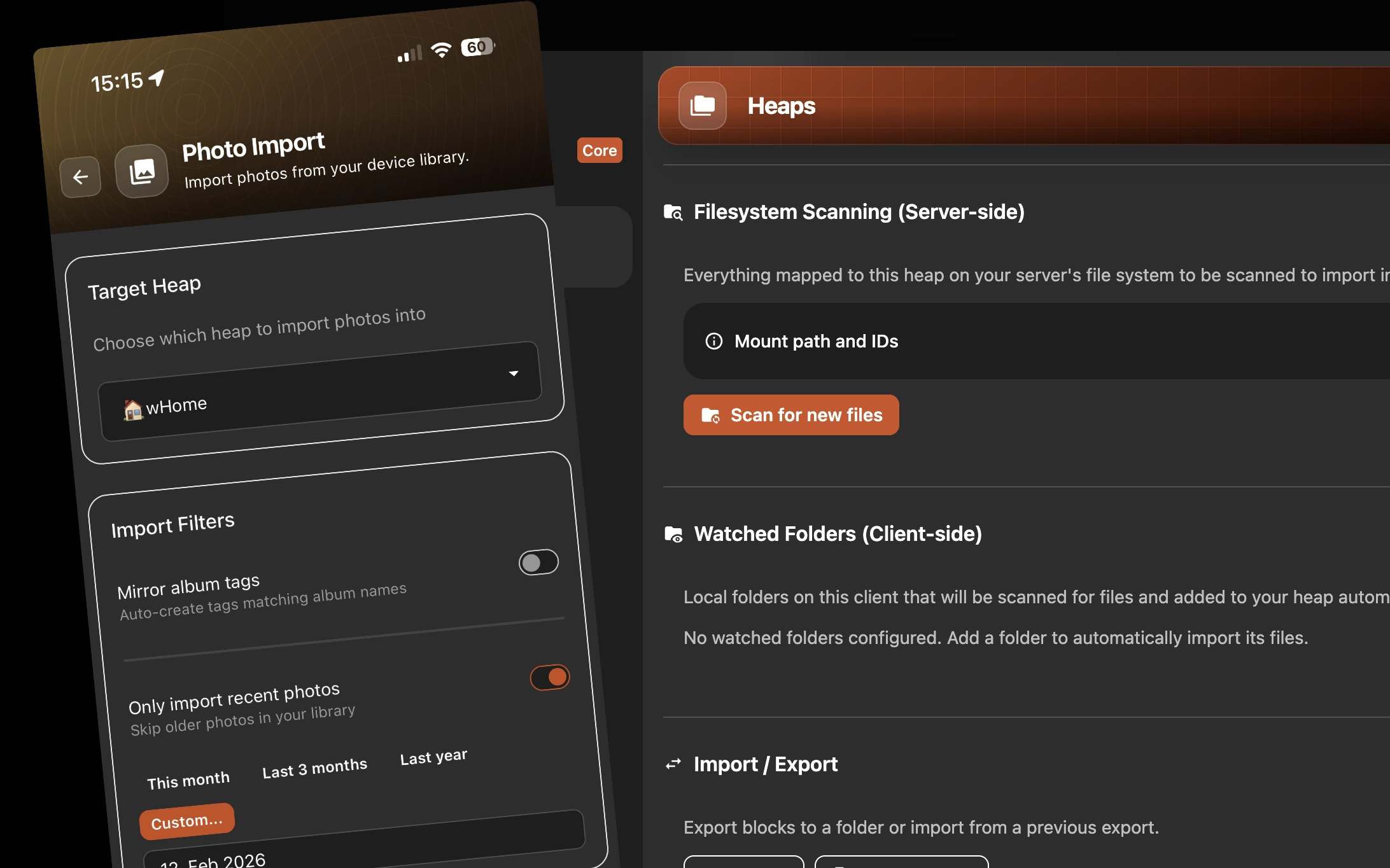
Mobile Photo Import and Watched Folders
Import and sync workflows are stronger on both mobile and desktop, with photo-library import on phones and watched local folders on desktop.
- Import photos from mobile libraries with automatic rules for date ranges or albums.
- Keep desktop folders connected to a heap so new and changed files can be scanned back into Heaper.
- Run watched folder scans after sync and reuse cached file metadata to avoid reimporting unchanged files.
Collaboration
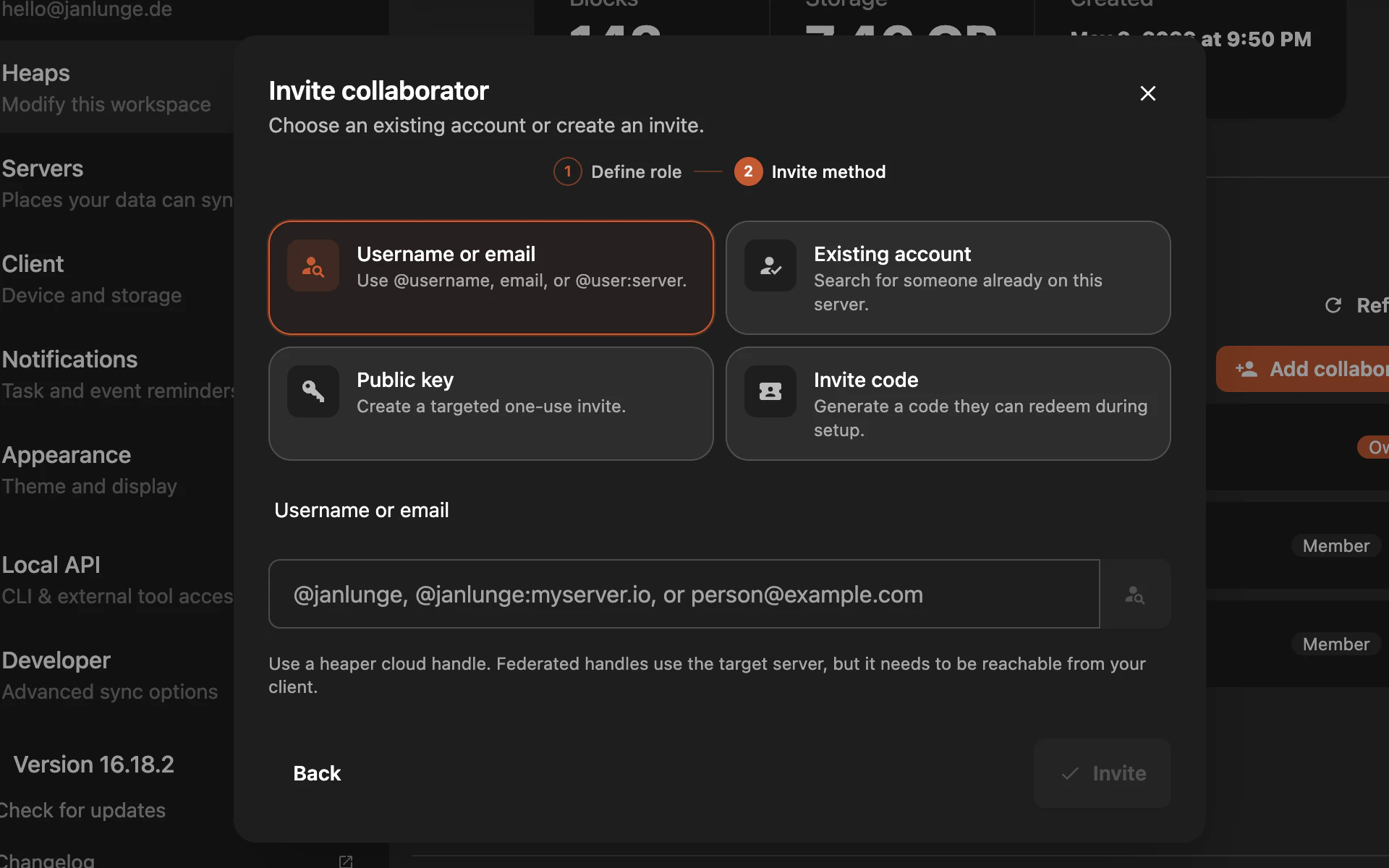
Workspace Collaboration
Sharing workspaces now has a fuller invite flow, collaboration identities, and self-hosted invite delivery.
- Share workspaces through invite packages and normalized invite codes.
- Use collaboration identities across cloud and self-hosted contexts.
- Manage invite delivery and acceptance more clearly from settings.
Developers
Agent CLI
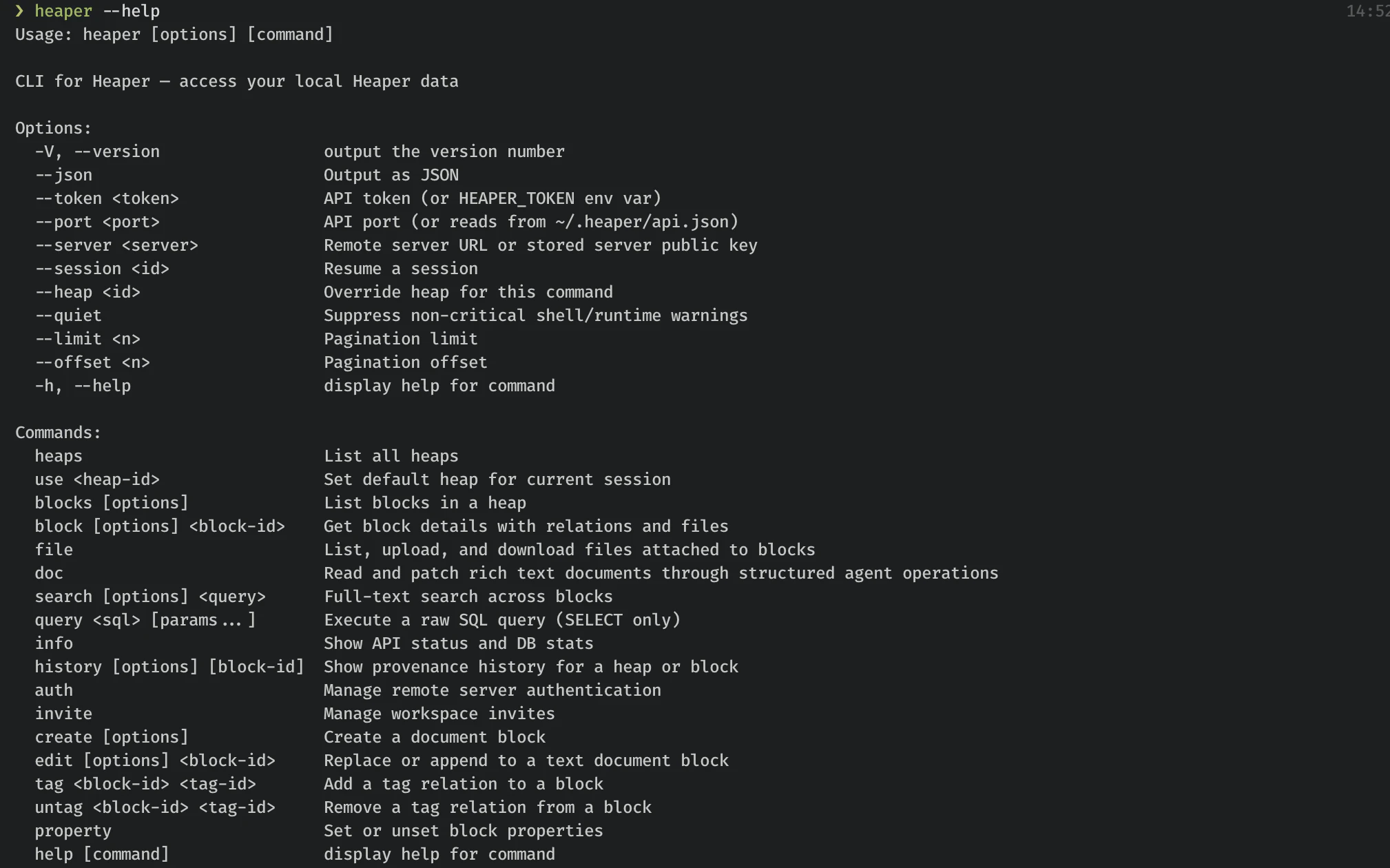
The new CLI gives agents and terminal workflows a local interface for reading and changing Heaper data.
- Work with blocks, documents, properties, relations, files, invites, search, history, and local app sessions.
- Inspect richer provenance and history for document, relation, property, and file changes.
- Build agent workflows against the local client API without hand-writing HTTP calls.
Improvements
- Properties in Apps: App role mapping, property-aware filters, and function-block setup prompts make it easier to connect views like Tasks, Calendar, Kanban, and Graph to the right data.
- Server Admin and Quotas: Self-hosted and admin screens now include user management, storage visibility, and quota handling.
- Kanban Customization: Kanban columns now support better color customization and layout controls.
- Block and File Dragging: Selected blocks and files can be dragged out with richer item options for desktop workflows.
- Sync Visibility: Sync indicators, recent run logs, cancellation support, upload progress, and background sync handling provide clearer feedback during long-running operations.
- Import and Sync: Mobile photo import and desktop watched folder scans are tied into sync-triggered workflows so local media gets pulled into Heaper more predictably.
- Notifications: Reminder permission handling and notification settings are now integrated into onboarding and settings.
- Mobile Sync and Sharing: Android and iOS background sync, media sync jobs, and share-target handling are more capable and more consistent.
- Navigation and Layout: Sidebar rows, navigation entries, list focus paths, and text truncation were refined for denser workspaces.
- File Uploads and Thumbnails: Upload error handling, progress reporting, thumbnail management, and backend file handling are more robust.
- Version History and Provenance: History and provenance support now tracks richer document, relation, property, and file changes for humans and agents.
Self-Hosted / Server
- Federated Collaboration Identity: Collaboration identity support now works across cloud and self-hosted invite flows.
- Admin User Management: Server admins can inspect users, manage quota state, and see storage usage more clearly.
- File and Thumbnail Backend: Server-side file access, thumbnails, and upload paths received reliability improvements.
Bug Fixes
- Fixed table title clicks so they no longer trigger the surrounding task/table row behavior.
- Fixed media plugin and photo import behavior around sync state, progress, and settings.
- Improved upload error handling so failures are surfaced more clearly.
- Fixed several task, property, and date editing edge cases across Tasks, Calendar, and rich text.
Technical
- Added cross-platform sync job management across Electron, Android, iOS, and the Rust sync core.
- Extended native sync bindings for new property, document, CLI, and file workflows.
- Added richer provenance events and semantic diffs for document, relation, property, and file changes.
- Updated Heaper Electron debug tooling with screenshot support and expanded local debugging documentation.