Daily Notes & Calendar
Daily notes give each date its own document. Use them for journaling, planning, meeting notes, or anything tied to a day.
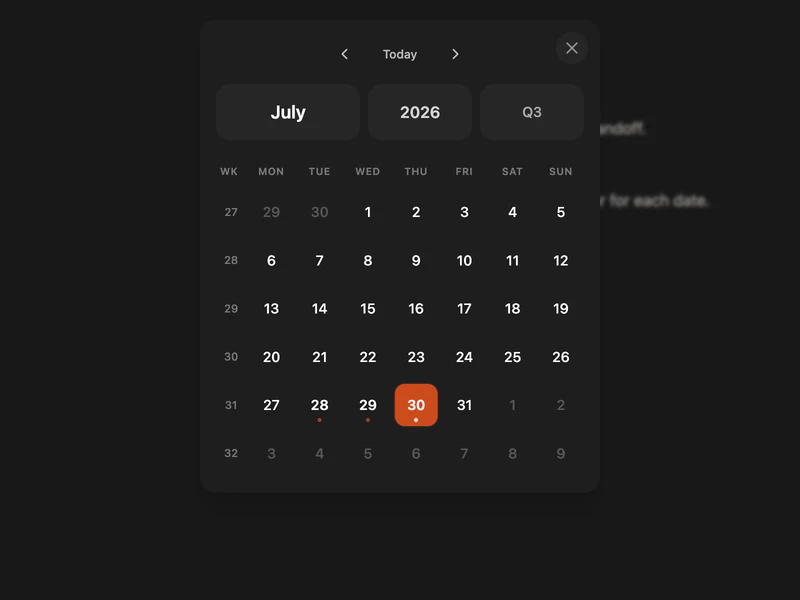
Daily Notes
- Select the calendar icon in the bottom navigation to open the calendar widget.
- Select a date to create or open its daily note.
- Open today again later to return to the same note.
- Hold the calendar icon to jump to todays daily note right away.
Daily notes are regular blocks. Add rich text, tags, mentions, files, and properties as you would on any other document.
You can also create notes for a week, month, quarter, or year. Existing dated notes are marked in the calendar widget.
Use daily notes in Calendar
In Calendar's Month mode, select a day number to open its daily note. Heaper creates the note when it does not exist.
Calendar can also show any block that has a reusable Date property, plus built-in Created and Updated dates. Daily notes and property-based events can appear in the same calendar.
See Calendar View for date sources, month, week, and agenda modes, event editing, filtering, and sorting.